 +49 211-97278150
 info@gigacopper.net





Home networking
Who doesn’t know the problem? You want to use the internet connection at full power throughout the house or float, have interference-free WLAN reception, enjoy streaming services in high resolution and network your devices via LAN, but you don’t have the necessary cabling.
With our G.hn modems for home networking (InHome Firmware), we offer an inexpensive and quickly implementable alternative to laying new network cables: they are connected to each other existing telephone or coaxial cables – this creates a fast wired network. Up to 16 modems are possible in the network – sufficient for houses of any size. Installation is plug-n-play – connect the cable and get started.
To ensure the best possible performance, all modems communicate peer-to-peer, with each modem capable of sending and receiving data at speeds of up to 1.5 Gbps. This means that even a gigabit-speed fibre-optic connection can be distributed throughout the house without any loss of quality..
Advantage for Wi-Fi repeaters: they are connected to our modems – and thus to the network – via an Ethernet cable, allowing them to provide full coverage throughout the house whilst maintaining mesh functionality. Power over Ethernet (PoE+) is also an option.

For networking via telephone cable, we have several compatible modems with different numbers of LAN ports and additional functions, all devices can be combined in the network as desired:
G5201T: 1x 2,5 Gigabit Ethernet
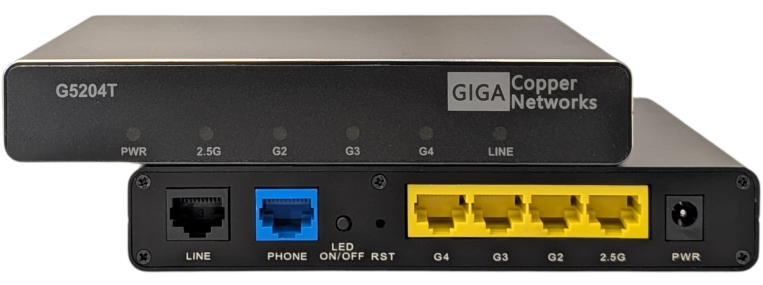
G5204T: 1x 2,5 Gigabit + 3x Gigabit Ethernet and analogue phone
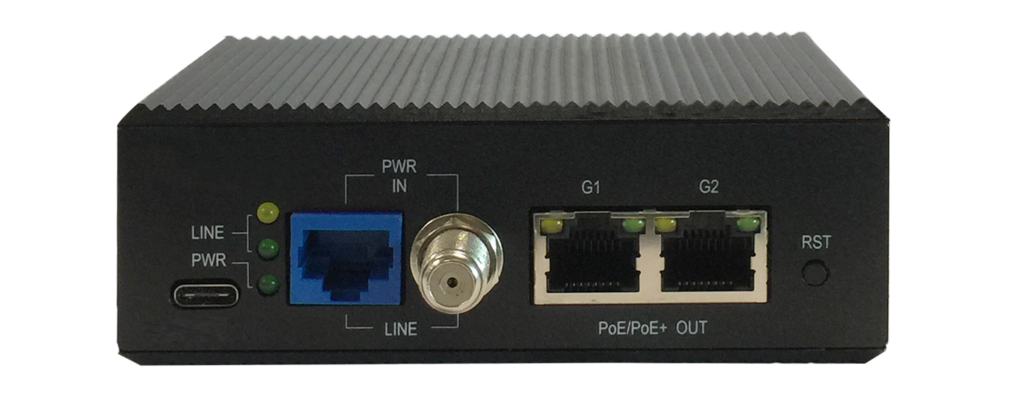
G4202TCP: 2x Gigabit Ethernet with PoE+
G4201TM: 1x Gigabit Ethernet
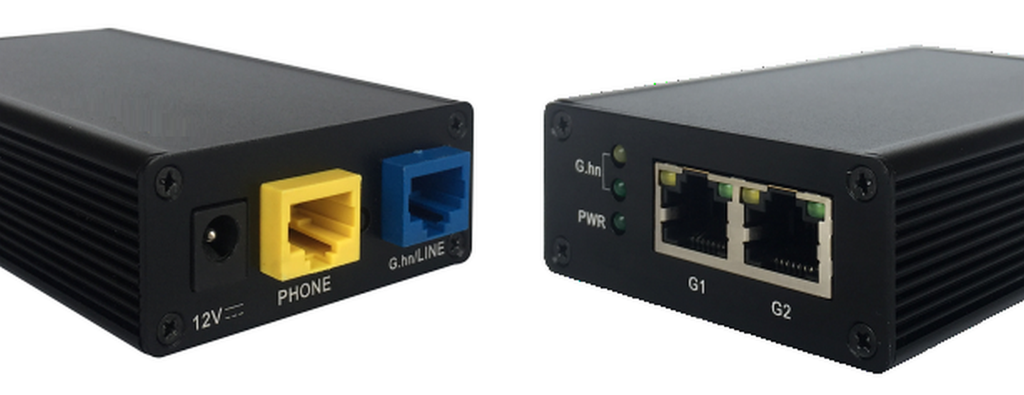
G4202T: 2x Gigabit Ethernet and analogue phone
All types of telephone cabling are supported: Point-to-point, “star”, “in series” and also combinations of these.
To create a common network, the telephone cables must be connected to each other. Cable clamps are sufficient for this.

We also offer a range of compatible devices for connecting via coaxial cable, which differ in terms of the number of LAN ports and additional features. All modems can be freely combined within the network:
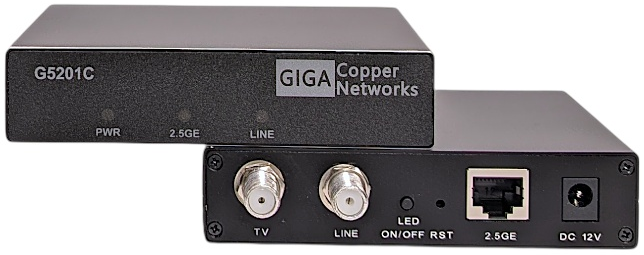
G5201C: 1x 2,5 Gigabit Ethernet and CATV plug
G5204C: 1x 2,5 Gigabit + 3x Gigabit Ethernet and CATV plug
G4202TCP: 2x Gigabit Ethernet with PoE+
G4201C: 1x Gigabit Ethernet
G4204C: 4x Gigabit Ethernet
The connection between the cables can be made via splitters, taps, SAT multi-switches, combiners, and of course, via loop-through wall outlets.
TV broadcast via SAT and DVB-T2 is supported. Parallel use of cable TV (CATV) is also possible in the frequency range from 258MHz.
Modems for home network via telephone cable (InHome firmware)

G5201T
Price for 1 device:
133,95 € (incl. VAT) VAT zzgl. Versandkosten Add to Cart

- 1 * G.hn Wave2 SISO/MIMO port
- 1 * 2,5 Gigabit Ethernet port
G5204T
Price for 1 device:
149,95 € (incl. VAT) VAT zzgl. Versandkosten Add to Cart
- 1 * G.hn Wave2 SISO/MIMO port
- 1 * 2,5 and 3 * Gigabit Ethernet port
- 1 * analogue phone port
G4202TCP with 2x 30W PoE+
Price for 1 device:
239,00 € (incl. VAT) VAT zzgl. Versandkosten Add to Cart
- 1 * G.hn Wave2 SISO port
- 2 * Gigabit Ethernet port with 30W PoE+
- Power supply over USB-C PD adapter
- IP30 Housing, Temperature range -10 – 45°C
Incl. 65W USB-C PD power adapter
G4202T
Price for 1 device:
133,95 € (incl. VAT) VAT zzgl. Versandkosten Add to Cart
- 1 * G.hn Wave2 SISO port
- 2 * Gigabit Ethernet port
- 1 * analogue phone port
Modems for home network via coaxial cable (InHome firmware)
G5201C
Price for 1 device:
133,95 € (incl. VAT) VAT zzgl. Versandkosten Add to Cart
- 1 * G.hn Wave2 port incl. CATV
- 1 * 2,5 Gigabit Ethernet port
- CATV port, frequency range 258-862MHz
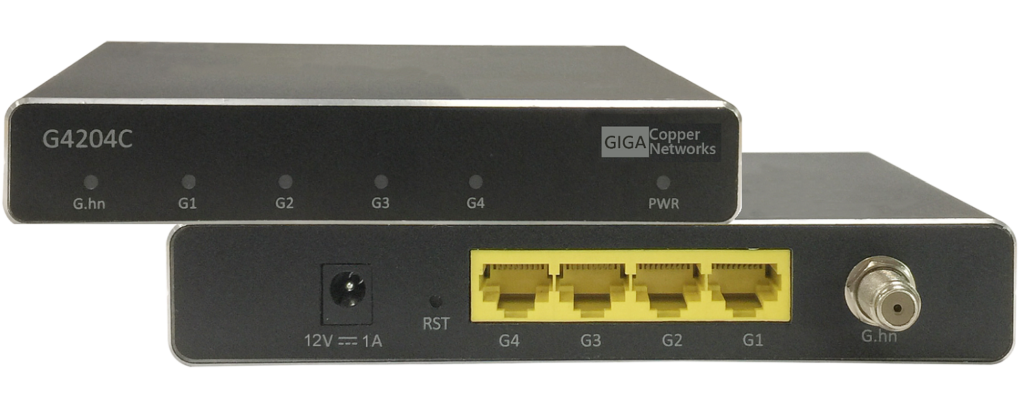
G4204C
Price for 1 device:
145,00 € (incl. VAT) VAT zzgl. Versandkosten Add to Cart
- 1 * G.hn Wave2 port
- 4 * Gigabit Ethernet port
G4202TCP with 2x 30W PoE+
Price for 1 device:
239,00 € (incl. VAT) VAT zzgl. Versandkosten Add to Cart
- 1 * G.hn Wave2 port
- 2 * Gigabit Ethernet port with 30W PoE+ (RJ45)
- Power supply over USB-C PD adapter
- IP30 housing, Temperature range -10 – 45°C
Incl. 65W USB-C PD power adapter